Clean UTMs without
policing your team.
Someone types "facebook." Someone else types "fb." A third person uses "FB-Ads." You end up with three sources in GA4 that are the same thing. Attri fixes this at the edge, before the data lands.
Messy parameters in, clean taxonomy out. One canonical source for each. Resolved at the edge before it hits your analytics.
Rules, not spreadsheets.
Aliases
Map incorrect values to correct ones. "fb" becomes "facebook." "google-ads" becomes "google." "LI_Sponsored" becomes "linkedin." Define the alias once, it applies everywhere going forward.
Normalization
Force values to lowercase, uppercase, or leave them as-is. Per parameter. "Facebook" and "FACEBOOK" and "facebook" collapse into one value without writing a single rule.
Resolution modes
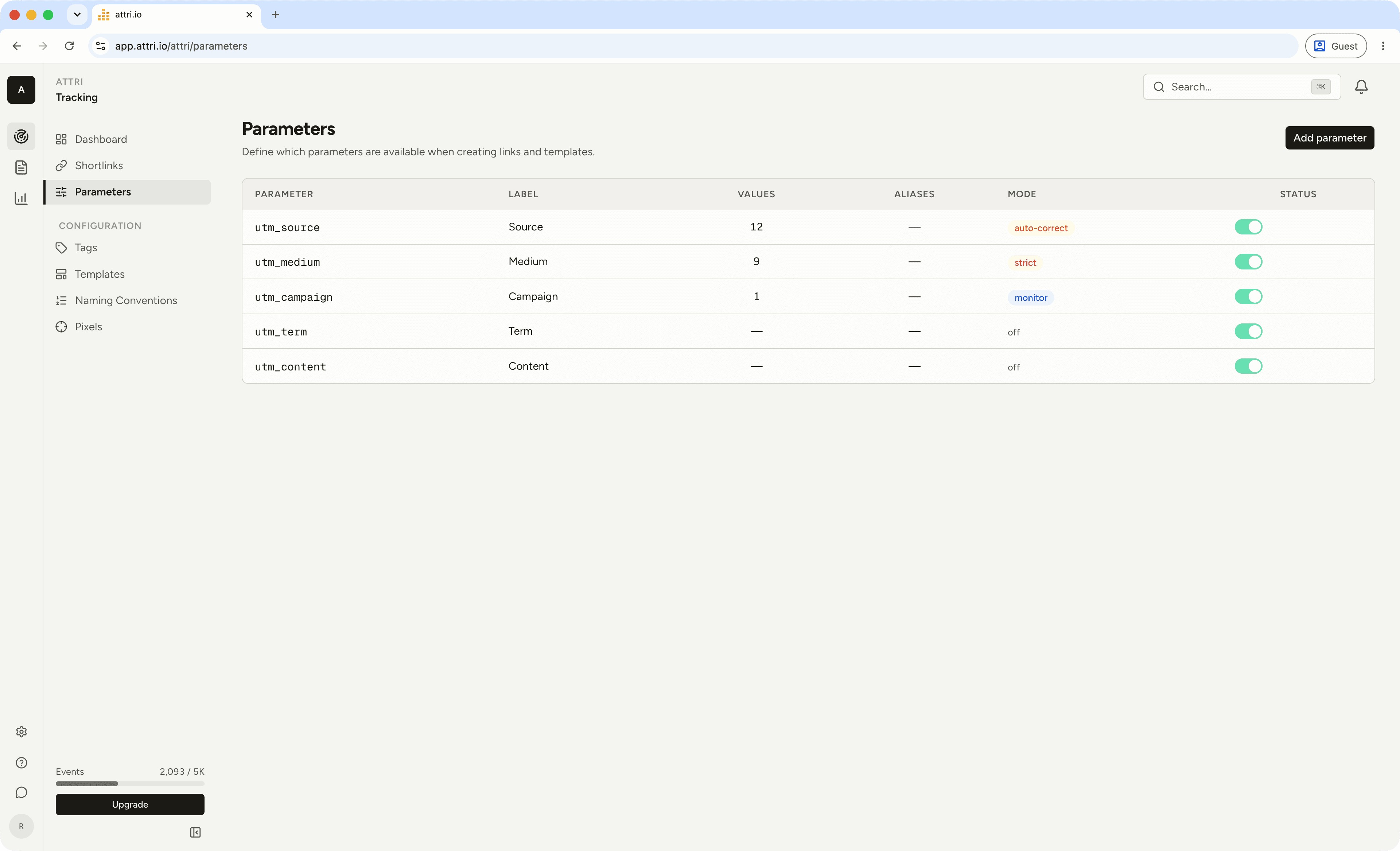
Four modes per parameter. Off does nothing. Monitor logs corrections without applying them. Auto-correct rewrites the URL silently. Strict blocks values that aren't in your approved list. Start with monitor, move to auto-correct when you trust the rules.
Fixed before GA4
ever sees it.
The a.js tracking snippet applies your aliases and normalization rules in the browser. It rewrites the URL before Google Analytics, your ad pixels, or any other tool reads the page URL. Clean data from the first pageview.
Corrections are tracked. You can see what was changed, when, and on which page. So when someone asks "why did my utm_source change?", you have the answer.
Structure that
stays consistent.
Define naming patterns with segments. Pick the separator (dash, underscore). Choose segment types (free text, dropdown, date). Set the date format. Everyone on the team builds campaign names the same way because the builder only lets them.
No more "Q2_2026_FB_promo" from one person and "fb-promo-q2" from another. The convention generates the value. The human picks the pieces.
Beyond the five UTMs.
Managed parameters
The standard five (source, medium, campaign, term, content) come pre-configured. Toggle them on or off per workspace. Add descriptions and labels so your team knows what each one is for without checking the wiki.
Custom parameters
Add your own. Track ad group IDs, creative variants, audience segments, or anything else your reporting needs. Same resolution rules apply: aliases, normalization, curated value lists. Not limited to UTM.
Common questions
How does UTM resolution work?
You define aliases (e.g., "fb" becomes "facebook") and normalization rules (e.g., force lowercase) per parameter. The a.js snippet on your site applies these rules and rewrites the URL before any analytics tool reads it. Your GA4, ad pixels, and Attri all see the corrected values.
Does this work with Google Analytics?
Yes. The URL is corrected before GA4's tag fires. GA4 sees the clean parameters as if the visitor arrived with them. No configuration needed on the GA4 side.
What's the difference between monitor and auto-correct mode?
Monitor logs what would be corrected without changing anything. Use it to audit your existing traffic and build confidence in your rules. Auto-correct applies the fixes in real time. Most teams start with monitor for a week, then switch.
Can I track parameters beyond the standard five UTMs?
Yes. Add custom parameters for ad group IDs, creative variants, audience segments, or anything your reporting needs. Same alias and normalization rules apply.
Does the resolver slow down my site?
No measurable impact. The a.js snippet is under 5KB, loads asynchronously, and applies rules from a cached workspace config. The URL rewrite happens in microseconds before the page renders.
How do naming conventions differ from aliases?
Aliases fix existing values after the fact. Naming conventions prevent the problem upstream by giving your team a structured builder for campaign names. Segments, separators, dropdowns. The convention generates the value so there's nothing to alias later.
Your attribution
problem ends today.
Fourteen days of the full product. No card. If it doesn't save you more than it costs by week two, we'll ask why.